Role-Based Access Control in HRMS: Why Granular Permissions Matter for Data Security
Learn how role-based access control in HRMS software protects sensitive employee data, enforces compliance, and gives HR teams granular, page-level and action-level control over who sees what.
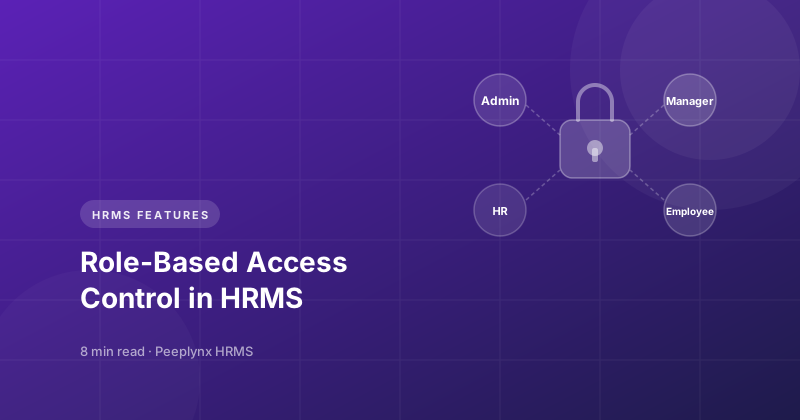
Role-Based Access Control in HRMS is one of the most overlooked yet most critical components of any HR software. As organizations digitize HR operations — from attendance and leave to performance management system and payroll data — the volume of sensitive employee information stored in a single platform grows sharply. Without granular permissions, that data is only as secure as the least careful user with access to it.
Modern HR management software like Peeplynx HRMS is built on the principle that access should be earned by role, not inherited by default. This article looks at what RBAC means in the context of HRMS, why HRMS security depends on granular permissions, and how the right hrms platform applies employee access management across industries — from HRMS for Healthcare to HRMS for Manufacturing & Retail.
Explore the Feature
Workforce Central
See how Peeplynx HRMS lets you configure page-level and action-level permissions for every role, across every module.
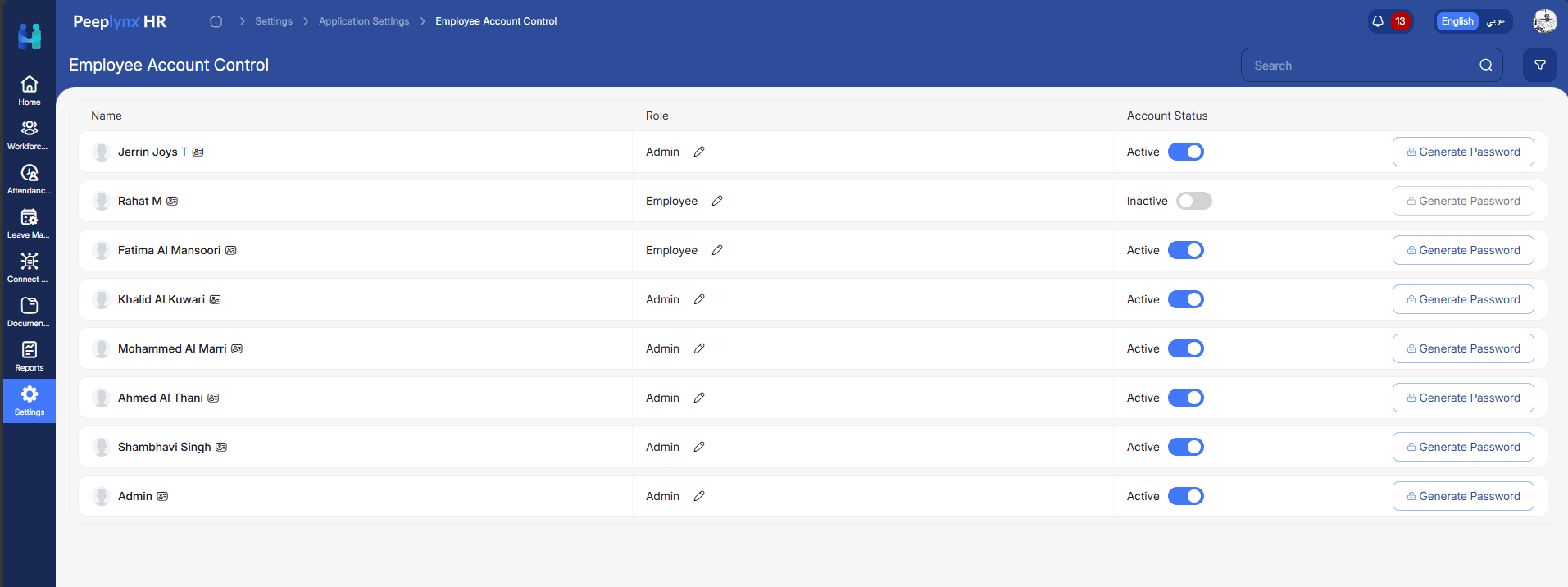
What is Role-Based Access Control (RBAC) in HRMS?
Role-Based Access Control is a security model where system access is granted based on a user's role within the organization, rather than assigned individually to each employee. In an HR management software context, this means an HR admin, a department manager, and an individual employee each see a different version of the same system — scoped strictly to what their role requires.
In a well-designed HRMS, RBAC goes beyond a simple "admin vs employee" split. The best hrms platforms implement page-level permissions, action-level permissions, and data-level scoping. This layered approach is what separates a genuinely secure hrms software from a system that simply hides a few buttons based on login type. Explore the full range of controls on our Features page.
- Page-level permissions — controlling which modules and menu items a role can even view
- Action-level permissions — controlling whether a role can create, edit, approve, or only view records within a page
- Data-level scoping — restricting a manager's visibility to their own direct reportees rather than the entire organization
Why Role-Based Access Control is Essential for HRMS Security
HR systems hold some of the most sensitive data an organization has — salary details, performance reviews, medical and leave records, disciplinary letters, and exit documentation. A single misconfigured role can expose this data far beyond who needs it. Granular, role-based permissions ensure that HRMS security is tied to job function, not convenience.
Common risks organizations face without granular access control include:
- Employees or junior staff able to view salary or performance data outside their scope
- Managers approving requests for teams they don't actually manage
- Sensitive modules like performance management system data or exit records left visible to unrelated roles
- No clear audit trail in HRMS of who approved, edited, or viewed a record
- Compliance failures during audits, especially in regulated sectors like healthcare and BFSI
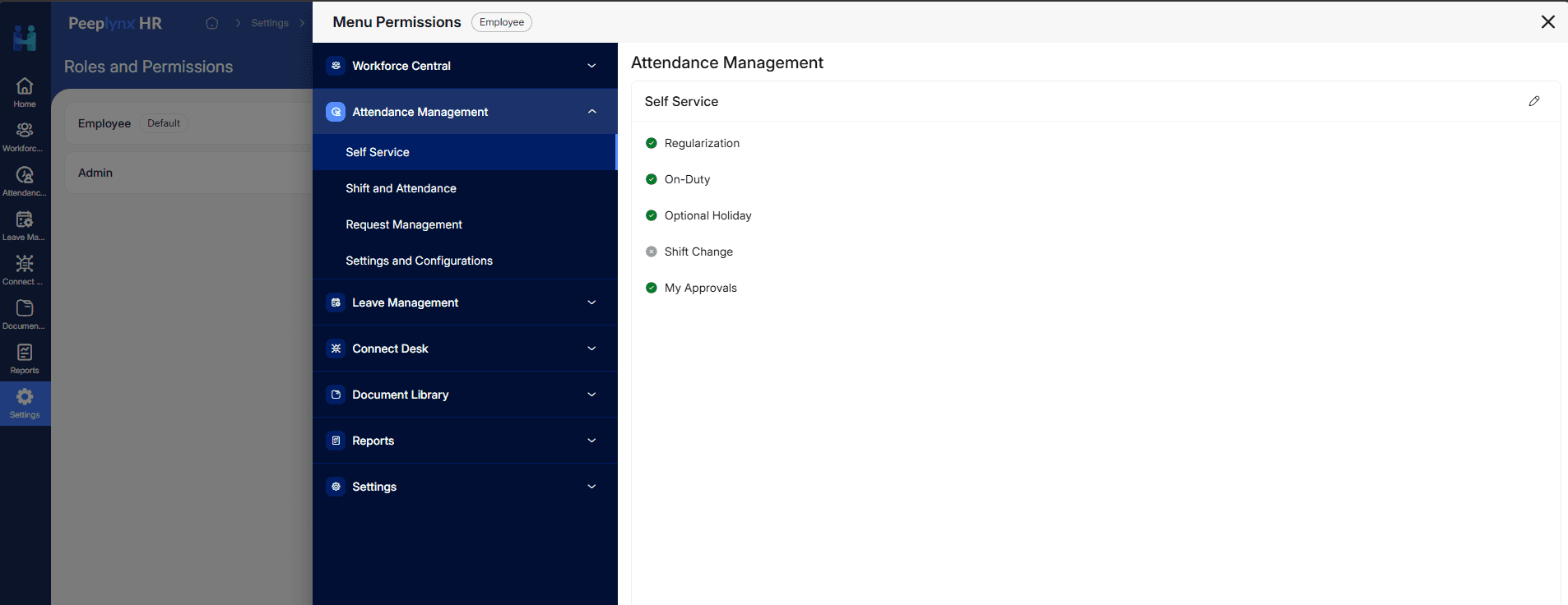
Key Features of Role-Based Access Control in Peeplynx HRMS
A mature hr management systems approach to access control typically includes:
- Configurable roles with custom permission sets, not just fixed admin/employee tiers
- Page-level and action-level restrictions applied independently across every module
- Approval-linked permissions, where workflow roles (requester, approver, HR admin) are enforced automatically
- Multi-tenant architecture support, so permissions stay isolated across business units or client organizations
- Cloud based hrms solutions that let permission changes take effect instantly across all devices, without manual redeployment
- Integration with the leave management system, attendance, and lifecycle modules so a single role definition governs access consistently across the platform
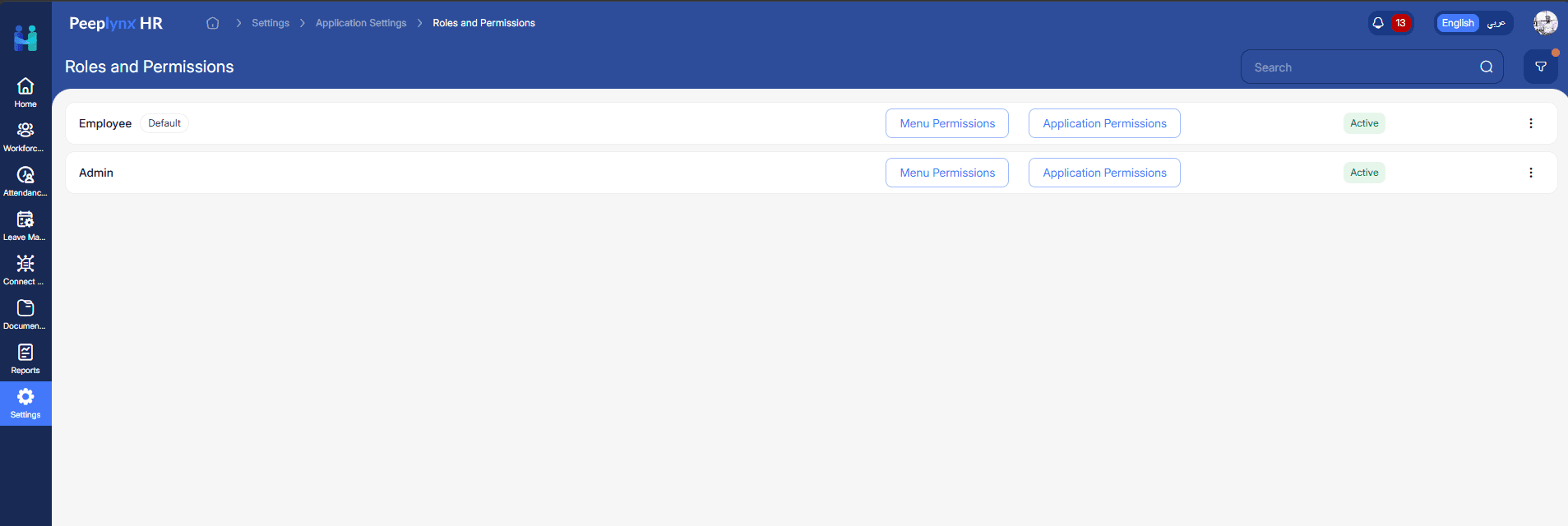
Common Challenges Without Role-Based Access Control
Organizations that rely on ad hoc or individually-assigned permissions instead of RBAC typically run into the same set of problems as they scale:
- Uncontrolled data exposure — without granular permissions, employees can view salary, medical, or exit records that fall outside their role
- Manual, error-prone access changes — every role change or transfer requires an admin to manually re-check and update individual access, rather than access updating automatically
- Missing audit trail in HRMS — without role-based enforcement, organizations often can't clearly answer who viewed, approved, or edited a record, which becomes a serious gap during compliance audits
- Approval bypass — because access isn't cleanly scoped to workflow roles, unauthorized approvals can slip through undetected
- Difficulty scaling access governance — for multi-tenant or multi-branch organizations, provisioning a new location or business unit becomes a slow, manual, repetitive task without role-based defaults
RBAC vs Traditional User Access Management
Traditional user access management typically assigns permissions on an individual, per-employee basis. Every time an employee changes role, moves teams, or exits the organization, an admin has to manually update their access — a slow process that doesn't scale well and is prone to human error.
Role-Based Access Control in HRMS works differently. This shift from individual access lists to defined roles is what allows an HRMS platform to enforce least privilege access consistently, even as the organization grows.
- Access is tied to the role, not the individual — when someone changes position, their access updates automatically
- New employees are provisioned instantly by assigning the correct role, rather than configuring permissions from scratch
- Employee access management becomes centrally auditable, since permissions map to a defined set of roles rather than hundreds of individual configurations
- User permission management decisions — who can approve, edit, or view what — are made once at the role level, not repeated for every hire
Benefits of Role-Based Access Control Across the Employee Lifecycle
Implementing strong RBAC within an employee lifecycle management software delivers benefits at every stage. This is why leading employee lifecycle management platforms treat access control as a foundational layer, not an add-on feature.
- Onboarding — new hires and HR admins see only the fields relevant to their onboarding step, reducing errors
- Leave management — approvers see only their team's requests, keeping Leave Management workflows fast and accurate
- Performance reviews — Performance Management data stays visible only to the employee, their reviewer, and HR, protecting confidentiality
- Exit management — final settlement and clearance data is restricted to HR and finance roles only
- Help desk queries — Connect Desk can route and restrict tickets by department, so sensitive queries aren't visible organization-wide
Role-Based Access Control Across Different Industries
Access control requirements aren't uniform — they shift depending on the sector a business operates in. Explore how Peeplynx HRMS adapts across Industries.
- HRMS for Healthcare — hospitals and clinics need compliance-ready hrms for healthcare features, since hrms in healthcare industry deployments must restrict access to medical leave, background checks, and licensing data to authorized HR and compliance roles only. HRMS for hospitals in particular must satisfy strict data-privacy audit requirements.
- HRMS for IT and Technology — it hrms environments typically have project-based or matrix reporting structures, requiring permission models that go beyond simple hierarchies.
- HRMS for Manufacturing & Retail — hrms for manufacturing and hrms for retail industry operations involve large, distributed workforces across plants or store locations; manufacturing hrms needs location-scoped access so a plant supervisor only sees their site's workforce, not the entire company. This extends to hrms for packaging industry and other high-headcount operational sectors.
- HRMS for Education Sector — academic institutions need role separation between administrative, teaching, and non-teaching staff.
- HRMS for Enterprises & Corporates — large organizations need multi-level, department-based permission hierarchies that a hrms software for small business deployment typically doesn't require, though scalable HR software should support both.
- Manpower and staffing — hr software for manpower staffing industry use cases rely on manpower planning software and manpower tracking software where recruiters, deployment managers, and clients each need distinctly scoped visibility into manpower planning tools and workforce data.
Best Practices for Implementing RBAC in HRMS
Use these practices to keep role-based permissions effective as your organization grows:
- Start with least privilege access — grant each role the minimum access it needs to perform its function, then expand only when justified
- Separate page-level and action-level permissions — deciding who can view a module is a different decision from who can edit, approve, or delete records within it
- Review roles periodically — role definitions can drift over time, so scheduled reviews help ensure permissions still match actual job responsibilities
- Maintain a clear audit trail in HRMS — every access change, approval, and record view should be traceable to a specific user and timestamp
- Align permissions with approval workflows — access should follow the workflow, so requesters, approvers, and admins each see exactly what's relevant at their stage
- Plan for scale early — in multi-tenant or multi-branch deployments, define roles so they extend cleanly to new business units without redesigning the permission model
Why Choose Peeplynx HRMS for Secure Access Management
Peeplynx HRMS is designed as a cloud-based, multi-tenant hrms platform where granular access control is built into the architecture rather than layered on top of it. Key highlights include:
- Configurable roles with independent page-level and action-level permissions across every module
- Approval workflows that can be linked to any module, with access enforced automatically at each approval level
- Support for bilingual (English and Arabic) interfaces without compromising permission scoping
- Manpower hrms capabilities purpose-built for organizations managing distributed or contract workforces
- Both cloud and on-premise deployment options, so enterprises with strict data-residency requirements aren't forced into a single model
Frequently Asked Questions
What is Role-Based Access Control (RBAC) in an HRMS?
Role-based access control in HRMS is a security model where system access is granted according to a user's role — such as HR admin, manager, or employee — rather than assigned individually. It determines which modules a role can see and which actions it can perform within them.
How is RBAC different from regular user access management?
Traditional access management assigns permissions manually to each employee. RBAC ties access to a role instead, so permissions update automatically as employees change positions, reducing manual admin work and access errors.
Why does HRMS security depend on granular permissions?
HR systems hold sensitive data — salary, medical records, performance reviews, exit details. Granular, role-based permissions ensure this data is visible only to the roles that genuinely need it, reducing the risk of accidental or unauthorized exposure.
Does RBAC support compliance requirements?
Yes. Because RBAC ties access and actions to defined roles, it naturally supports an audit trail in HRMS — showing who viewed, approved, or edited a record — which is often required during compliance audits, especially in regulated sectors like healthcare.
Can RBAC scale across multiple business units or locations?
In a multi-tenant hrms platform like Peeplynx HRMS, role definitions can be applied consistently across business units, locations, or client organizations, allowing access governance to scale without redesigning permissions for every new entity.
Conclusion
Role-Based Access Control in HRMS is not a checkbox feature — it is the mechanism that determines whether an HRMS actually protects the data it holds. As organizations expand their use of HR software across attendance, leave, performance, and lifecycle management, granular, role-based permissions become the difference between a system that is merely functional and one that is genuinely secure.
If your organization is evaluating hr management software with access control that scales across industries — from HRMS for Healthcare to HRMS for Enterprises & Corporates — explore how Peeplynx HRMS approaches role-based permissions, compare options on our Pricing page, and see it in action.
Keep Reading
HR Tech
Payroll Software for Growing Businesses
Discover how payroll software for growing businesses scales with headcount, new locations, and complexity — and how Peeplynx HRMS grows with you.
HR Tech
Bilingual HRMS Software: Why It's an Architecture Decision, Not a Feature
Learn why bilingual HRMS software needs to be built into the core architecture from day one — and why bolt-on language support creates problems after rollout.
Ready to see it in action?
See how Peeplynx simplifies HR for your team.
From attendance and leave to performance and service desk - explore the full platform in a live demo.