Connect Desk

HR Service Desk Software that turns every employee request into a tracked ticket

Connect Desk is the HRMS help desk inside Peeplynx. Employees raise requests, queries and reimbursements from one employee help desk, and HR teams resolve them through an HR ticketing system with routing, approvals and a full audit trail.

app.peeplynx.com / service-desk
Connect Desk - Main Dashboard

Problem

HR requests get lost when they live in inboxes, WhatsApp threads and informal conversations.

Without HR service desk software, employees raise HR queries through email or informal channels. Requests get lost, resolution times are unpredictable and HR teams have no visibility into outstanding workload or bottlenecks.

Solution

Connect Desk brings HR service management - requests, queries and reimbursements - into one structured HR service desk.

Employees raise and track their own tickets. Assignee groups action them from a dedicated queue. Admins get full visibility across all requests, tasks and reimbursements - with configurable forms, approval workflows and resolution tracking built into the HR ticketing system.
How It Works

Core capabilities of the Peeplynx HR Service Desk Software.

Every tool inside Connect Desk is designed to reduce manual effort and give your HR team one reliable place to manage this workflow.

01

Configurable forms and services

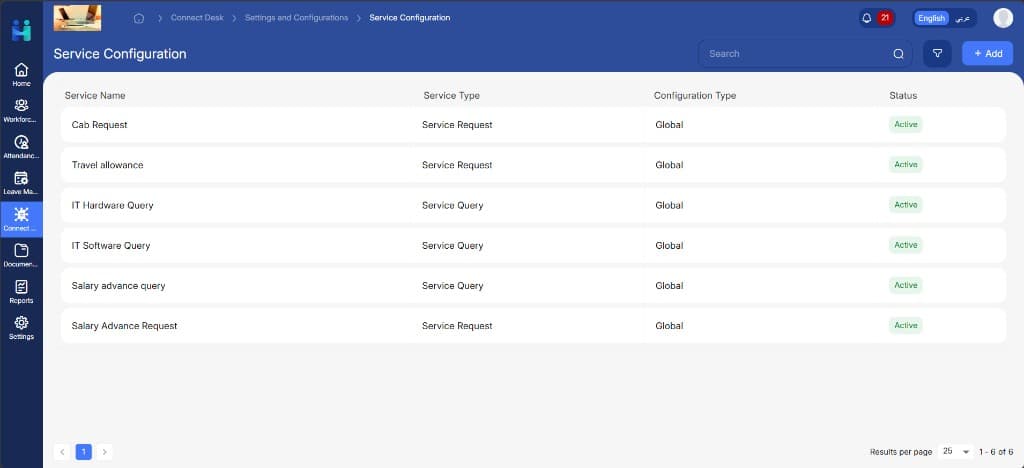
Build request forms and task forms with the required elements, then map them to services with approval workflows. Configure process-to-task mappings, custom data lists, resolution reasons and additional request settings.

02

Employee self-service

Employees raise service requests and queries, track their status and cancel them from a single self-service portal. Business process tasks and reimbursement requests are managed in the same place.

03

Approval workflows

Service request approvals and reimbursement approvals are routed to the right approvers automatically - with approve and reject actions tracked at every step.

04

Queue management

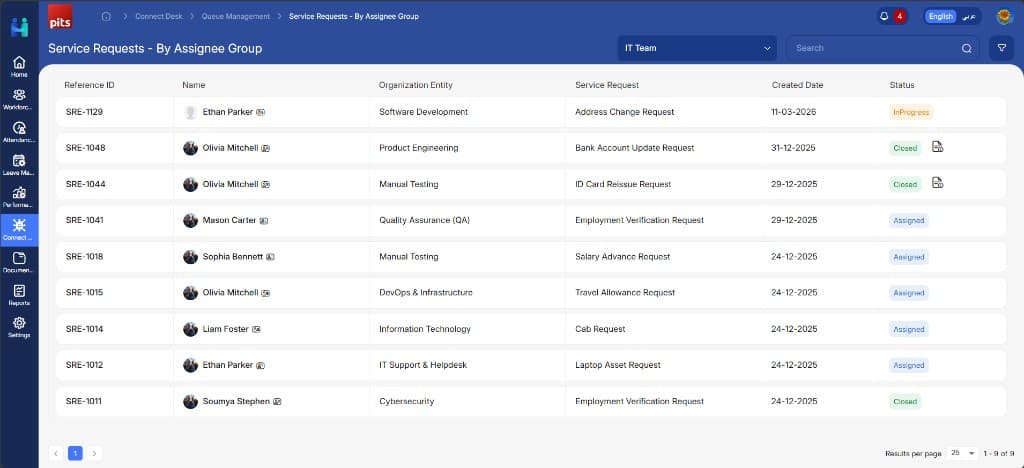
Assignee groups action service requests and queries from a dedicated queue. Requests are routed to the relevant group so the right people handle the right work.

05

Request management

HR teams get full visibility across all service requests, queries, business process tasks and reimbursements raised in the organization - including unassigned requests that need reassignment.

06

Reimbursement register

View all approved reimbursement requests in one register. Mark requests as processed or cancel them with a clear audit trail.

Benefits

Why HR teams choose our HR Service Desk Software.

See what changes when Connect Desk runs inside a connected HRMS instead of spreadsheets and disconnected tools.

One place

For every HR request type

Service requests, queries, reimbursements and business process tasks all flow through one system - no scattered inboxes or untracked conversations.

100%

Traceability on every request

Every request has a clear owner, approval trail and resolution record for audit and reporting purposes.

Zero

Unassigned requests slipping through

Unassigned requests surface automatically and can be reassigned when no active assignee is available at any approval level.

See It In Action

See the HR Service Desk Software in action.

A closer look at the Connect Desk screens your HR team and employees will use every day.

Self-service portal
01

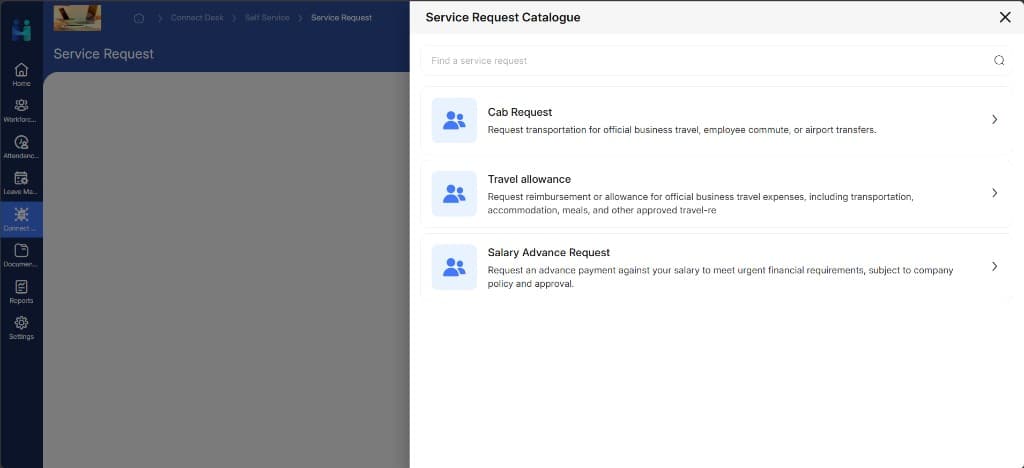
Self-service portal

Show the service request catalogue - searchable list of available HR and IT services employees can raise.

Queue management
02

Queue management

Show the assignee queue - list of incoming requests with status labels and assignee group filtering.

Explore More

Other modules that connect to this workflow.

Peeplynx works best when modules share the same data layer - see what else your team can run in one place.

FAQ

HR Service Desk Software FAQs

Common questions HR teams ask before choosing Peeplynx Connect Desk as their HR Service Desk Software.

See how the Peeplynx HR Service Desk Software fits into your HR workflow.

Book a live walkthrough to see how this feature connects with employee records, approvals and reporting across the full HR lifecycle.