

User Management
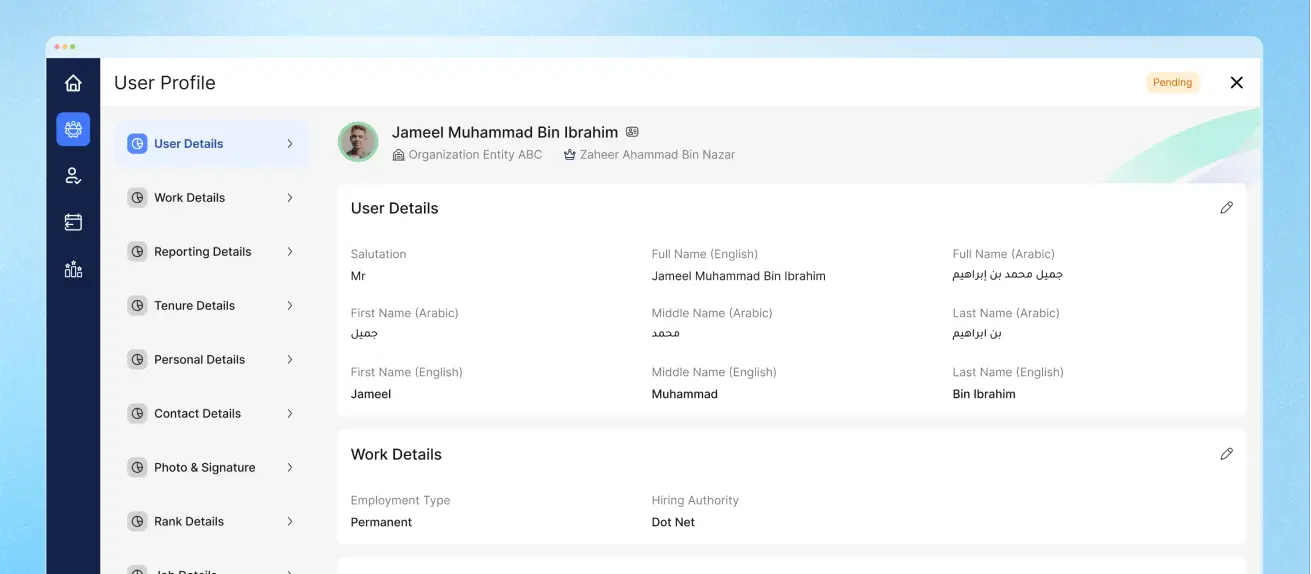
User Management Overview
Effortless workforce control — from onboarding to exit, Peeplynx HR helps you manage employees at every stage with speed, structure, and security. With Peeplynx HR, adding, organizing, and managing employees becomes a streamlined digital experience. From day one to their final working day, you’ll have complete control over employee records, access, and role management — all from a single platform.
Everything You Need, Built Right In
Visualize Your Workforce Instantly
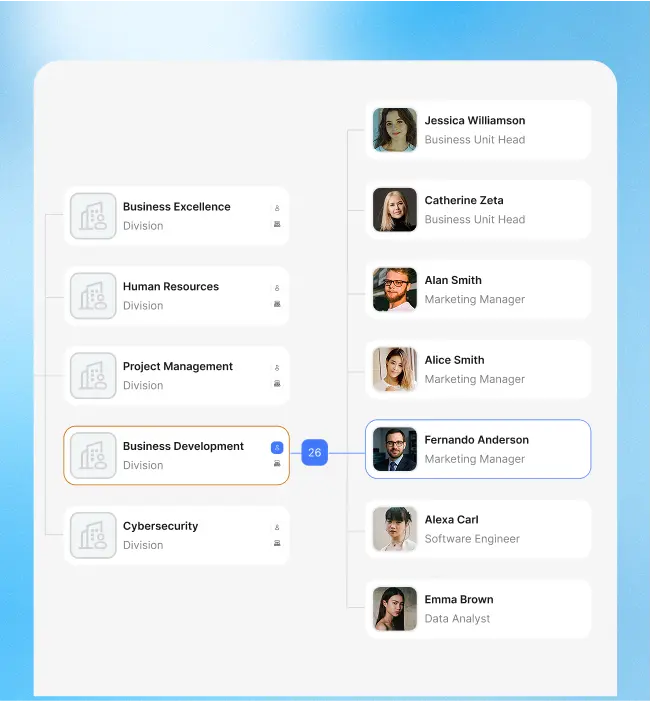
Get a dynamic, interactive view of your organizational hierarchy. The real-time org chart reflects reporting lines and roles, helping HR and managers stay informed and aligned.
Team Hierarchy View
Quick Employee Lookup
Live Org Chart
From First Day to Final Sign-Off
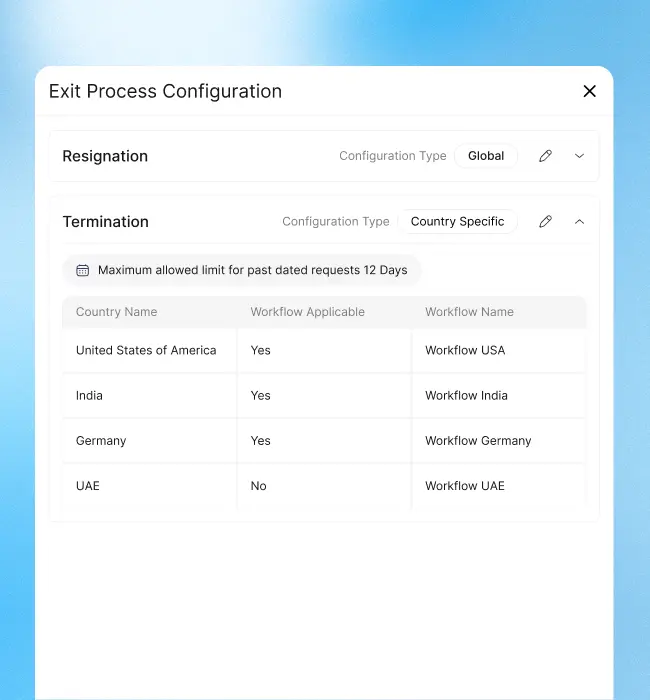
Whether you’re welcoming a new hire or processing an exit, Peeplynx HR makes every step smooth and compliant. Record employee transitions securely and maintain complete audit trails for reporting and reviews.
Streamlined Onboarding
Exit Workflow Management
Exit Record Archiving
Frequently Asked Questions
Your go-to guide for understanding Peeplynx HR’s features and capabilities.
Yes, the master setup lets you define and update job titles, departments, work locations, and more.
Absolutely! You can filter, track, and report based on employment type — including probation and contract staff.
Yes, user reports can be exported in Excel, PDF, or CSV formats — with advanced filters.